

Xpadder 2010.06.03
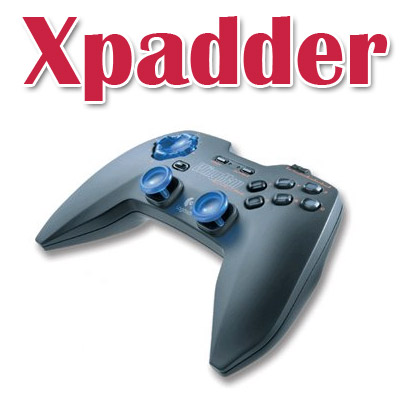
Xpadder – программа для симуляции нажатия клавиш и движений мыши с помощью джойстика (геймпада). Таким образом, Xpadder позволяет использовать джойстик даже в тех играх, где его использование не предусмотрено. Кроме этого, с помощью джойстика можно будет играть в DOS- и интернет-играх, а также управлять плеерами, веб-браузерами и другими программами.
Xpadder позволяет назначать клавиши мыши и клавиатуры на кнопки любого геймпада. Зачем это нужно? Например, игра не поддерживает геймпад или поддерживает его не очень хорошо (какой-нибудь Devil May Cry 3 или Resident Evil 4 и т. д. — живые тому примеры). Многие старые игры поголовно игнорируют эти устройства (гонять в Carmageddon на геймпаде — сплошное удовольствие). Или, скажем, управлять медиаплеером при помощи беспроводного геймпада, лежа на диване, тоже весьма удобно.
Поддержка более 120 джойстиков, выпускаемых в течении последних 3-5 лет.
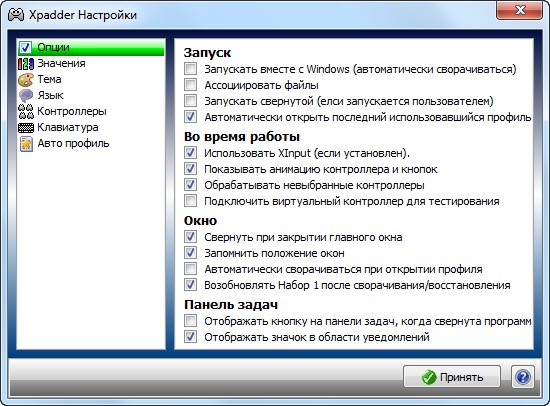
Возможности Xpadder:
- Можно играть в игры, где поддержки геймпада нет или она плохо оптимизирована.
- Играть с помощью джойстика в эмуляторе, интернет- или DOS-играх.
- Играть в многопользовательские игры, где каждый игрок использует геймпад.
- Использовать геймпад как пульт управления аудио-видео плеерами с помощью горячих клавиш.
- Настроить свой профиль геймпада для браузера или любого Windows-приложения.
Ключевые особенности Xpadder:
- Поддержка Windows XP, Vista и новой 7.
- Поддержка 32- и 64-битных ОС семейства Windows.
- Полная эмуляция всех функций клавиатуры и мыши.
- Поддержка до 16 геймпадов одновременно.
- Тонкая настройка нажатия любой кнопки и виброэффектов.
- Возможность создания индивидуальных стилей оформления для каждого геймпада.
- Поддержка игровых рулей, танцевальных ковров, гитар и прочих специфических манипуляторов.
- Программа работает в Portable режиме и не прописывается в реестр.
- Программа имеет маленький размер и легко поместится на Flash носителе.
Кроме основного файла программы «Xpadder.exe» архив содержит необязательные дополнения:
- Игровые профили (86 шт.) папка - "Controller Profiles"
- Скины реальных игровых геймпадов (125 шт.) папка - "Controller Images"
- Темы главного окна программы (92 шт.) папка - "Themes"
What's New in This Release:
- Optimized Advanced Assignment Cycle help
- Optimized all sub-windows
- Optimized executable code by using latest compiler
- Optimized for Windows XP and higher
- Optimized Xbox 360 properties text display
- Improved accessibility of disconnected controller settings and profile
- Improved advanced assignment buttons layout
- Improved advanced assignment testzone
- Improved advanced assignment time value entry
- Improved compiler directives to produce a smaller and faster executable
- Improved CoreLoop SubWindow update determinations
- Improved cycle handling
- Improved language file rating check
- Improved main settings window closure event
- Improved new language file creation
- Improved screen update system
- Improved set selection handling
- Improved slot processor
- Improved slot scheduler
- Improved slot time selection
- Improved stick deadzone main display (red buttons only appear when relevant stick subwindow is open)
- Improved window dimensions (new minimum resolution is 600x400)
- Improved Windows service pack detection on non-English systemsAdded "installation" language selection and instant language selection
- Added "last version run" recognition
- Added "Unused" indicators to Set buttons and menus
- Added Assignments based on button-hold-duration
- Added Assignments on release
- Added AutoProfile program selection as well as active window
- Added AutoProfile system
- Added clicking of AutoAdd Sequence Pauses checkbox text to toggle checkbox
- Added controller hiding
- Added controller ID to controller list
- Added controller settings page auto-selection
- Added Copy and Paste function for controller files via the controller menu (you can now post controller files on forums without needing to zip, upload and link)
- Added Copy and Paste functions for controller images
- Added Copy Text buttons to all dialogs and the Help and Controller Properties windows to help with debugging and reporting errors (saves having to produce screenshots)
- Added Disabled mouse cursor to Assignment image if Editing is disabled due to sequences and the advanced assignment window is not open
- Added DistanceZones so sticks and triggers can have different assignments based on distance
- Added Explore button to Controller/Profile menus and Language Settings page
- Added first-run legal and license dialogs
- Added global AutoProfile (de)activation
- Added hints to lists so all text can be seen if too long
- Added multiple controller watches (one watch autoopens different profiles onto each controller)
- Added name-icon background to Controller Settings Stick and DPad direction names
- Added QuickSave icons to controller and profile name buttons
- Added rumble animation to controller tabs
- Added scrollbars to all lists (they are visual only so the actual bar cannot be dragged yet)
- Added support for dual stick settings windows
- Added support for stick 1 to be analog if stick 2 was pov
- Added support for Windows 7 and Windows Server 2008 (original and R2)
- Added syncing of time slots and selected time value
- Added Tap or Hold
- Added theme button background to controller tab icons
- Added Unicode support
- Added unused language file line check
- Added virtual controller option
- Added Controller Transparency theme option
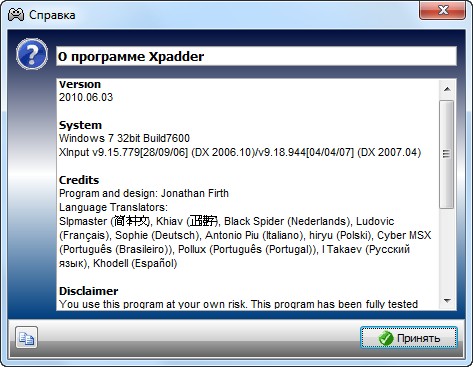
- Added language translation credits in the About box
- Converted version system to YYYY.MM.DD (old files are still readable though)
- Increased maximum automatic controller links from 32 to 255
- Increased maximum languages from 16 to 255
- Fixed a bug in assignment window where Shift could be constantly added
- Fixed a bug in Stick settings windows where stick 2 auto-assign caused an error
- Fixed a bug where a bad device driver that caused an enumdevices exception was assumed to be the result of a debug version of DirectInput (thanks to Andy M)
- Fixed a bug where Advanced Assignment Clear button remained in focus after clear dialog was displayed
- Fixed a bug where Advanced Assignment Insert, Delete and Clear buttons did not disable when they had no effect (thanks to hiryu)
- Fixed a bug where Advanced Assignment window started with focus on a button
- Fixed a bug where assignment was not shown on button if it was not in the first holdzone
- Fixed a bug where AutoProfile recent window list was positioned badly (thanks to Primal Fear)
- Fixed a bug where AutoProfiles sorted Profiles with identical watches unnecessarily (thanks to Primal Fear)
- Fixed a bug where Chinese text in dialog caused English text on remainder of line to use wrong font
- Fixed a bug where closing an Xpadder subwindow triggered the default AutoProfile
- Fixed a bug where closing sub-windows via a button was not handled correctly
- Fixed a bug where closing sub-windows was not handled correctly
- Fixed a bug where Controller and Profile name buttons lost yellow "changes made" highlight if controller was disconnected
- Fixed a bug where Controller Image clear button did not update controller tab icon
- Fixed a bug where Controller properties axis list had end bracket if axis list was empty
- Fixed a bug where deleting controllers from controller list caused Range Check Error (thanks to MadMouSe)
- Fixed a bug where disabling XInput could cause an error if a controller was using XInput at the time
- Fixed a bug where display could flicker on dual-core systems
- Fixed a bug where Gradient button style created random colours in some areas (thank to Antonio)
- Fixed a bug where Help did not explain missing options in mouse settings window if no mouse assignments are currently assigned
- Fixed a bug where instructions to disable debug version of DirectInput were not correct
- Fixed a bug where invalid controller files or pasted controller data used the word "profile" instead of "controller" in the error message
- Fixed a bug where logging off/shutting down windows was not handled correctly
- Fixed a bug where main Assignment Group help described old right-click method (thanks to Cable)
- Fixed a bug where main dialog window text was too wide
- Fixed a bug where mouse settings window did not update with new options when single mouse direction was assigned
- Fixed a bug where pasting a copied Controller image from Chrome did not process magenta Transparency correctly (thanks to Oke_Doke)
- Fixed a bug where pasting a profile showed "Opening profile" instead of "Pasting profile" while animation occurred
- Fixed a bug where pasting some international text caused a Range Check Error
- Fixed a bug where pressing the DPad while scanning for a stick caused an error problems (thanks to Danny)
- Fixed a bug where Profile KeyTapTime slider value was hidden (thanks to Cable)
- Fixed a bug where Profile Settings button in main window was treated as Profile Name click
- Fixed a bug where release type text appeared in language, controller and profile files and in boot exename check dialog
- Fixed a bug where save profile dialog showed "opening" text instead of "pasting" when pasting a profile over unsaved profile
- Fixed a bug where saving controller file with a new name when controller settings window was open did not update its titlebar with new name
- Fixed a bug where selecting item off the bottom of a list caused the list to jump to the top
- Fixed a bug where selecting the default location as My Documents was ignored if files were not actually saved to it on the first run
- Fixed a bug where simulated keypresses were not released on non-minimized animated exit of program
- Fixed a bug where some devices (notably Logitech webcam) caused error when detected (big thanks to blinkFRO for extensive testing)
- Fixed a bug where some false lines were processed when creating/checking a language file
- Fixed a bug where some international text could be lost when saving a file
- Fixed a bug where some language lines were inefficient multiple sentences
- Fixed a bug where the associate files option did not remain disabled across restarts
- Fixed a bug where the tab image did not resize when more controllers were connected
- Fixed a bug where the trigger deadzone value did not update as the trackbar moved
- Fixed a bug where tray icon menu showed windows version of controller name instead of user-defined controller file name
- Fixed a bug where unlinked controllers did not retain order
- Fixed a bug where Update and Windows 2000 XInput help remained from v5.3
- Fixed a bug where white parts of the tab icon were transparent
- Fixed a bug where Windows options were badly arranged and help did not match order
- Fixed a profile update memory leak
- Fixed an update bug for Dpad, Stick and Trigger images and improved visuals
- Fixed other minor bugs
- Fixed some slot scheduling bugs
- Fixed some theme clashing bugs
- Fixed stick settings window layout
- Removed Language Update button to promote editing archived language file not own local copy
- Removed update system and all internet-related code
- Replaced "Download v?" for binary files with conversion email instruction
- Replaced all "Details" buttons with the more conventional "Properties" text
- Replaced capital letters in settings help windows with square brackets (not all alphabets have case distinction)
- Replaced confusing save icons with traditional disk icons
- Replaced external language files with built-in versions - Zip distribution is no longer needed
Скачать программу Xpadder 2010.06.03 (23,75 МБ):


Класс, автору биг СПС
Я старому джойстику нашел хорошее применение ,назначил горячие клавиши браузеру 0pera . Теперь лазею по интернету с помощью джойстика . Попробуйте очень даже прикольно !
Щас протестирую ато есть руль,джостик и почти неиграю им))))